These settings, found under Meeting details on the Availability tab, control how long meetings run, how far ahead leads can book, and where meetings take place.
Meeting length
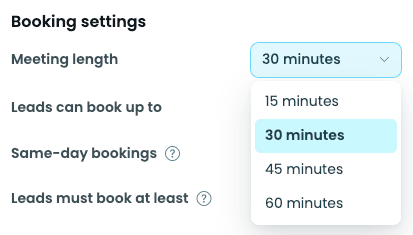
Every meeting booked through your link uses the same duration, set from the Meeting length dropdown (for example, 30 minutes). Every booked appointment uses this time, regardless of what a lead says they want to discuss.
Booking window
Booking window controls how far ahead, and how soon, leads can grab a time with you.
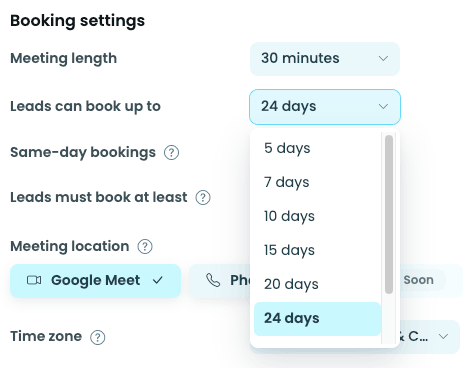
- How far out leads can book: use the minus and plus buttons to set how many days into the future your booking link is open (for example, 30 days). Anything beyond that window stays hidden from leads.
- Allow same-day bookings: when this is on, a lead can book a meeting with you today. When it's off, the earliest a lead can book is tomorrow.
- How soon leads can book: this is your minimum notice (for example, 2 hours' notice). It gives you a heads-up before a new meeting lands on your calendar, so a lead can't book a slot that starts in five minutes.
If leads keep booking times that feel too last-minute, increase your notice window. If you're not getting enough bookings, try shortening it or turning same-day bookings back on.
Where meetings take place
Under Meeting location, choose one option: Google Meet or Phone. Leads see whichever one you've selected on your booking link. They don't get to pick it themselves.
