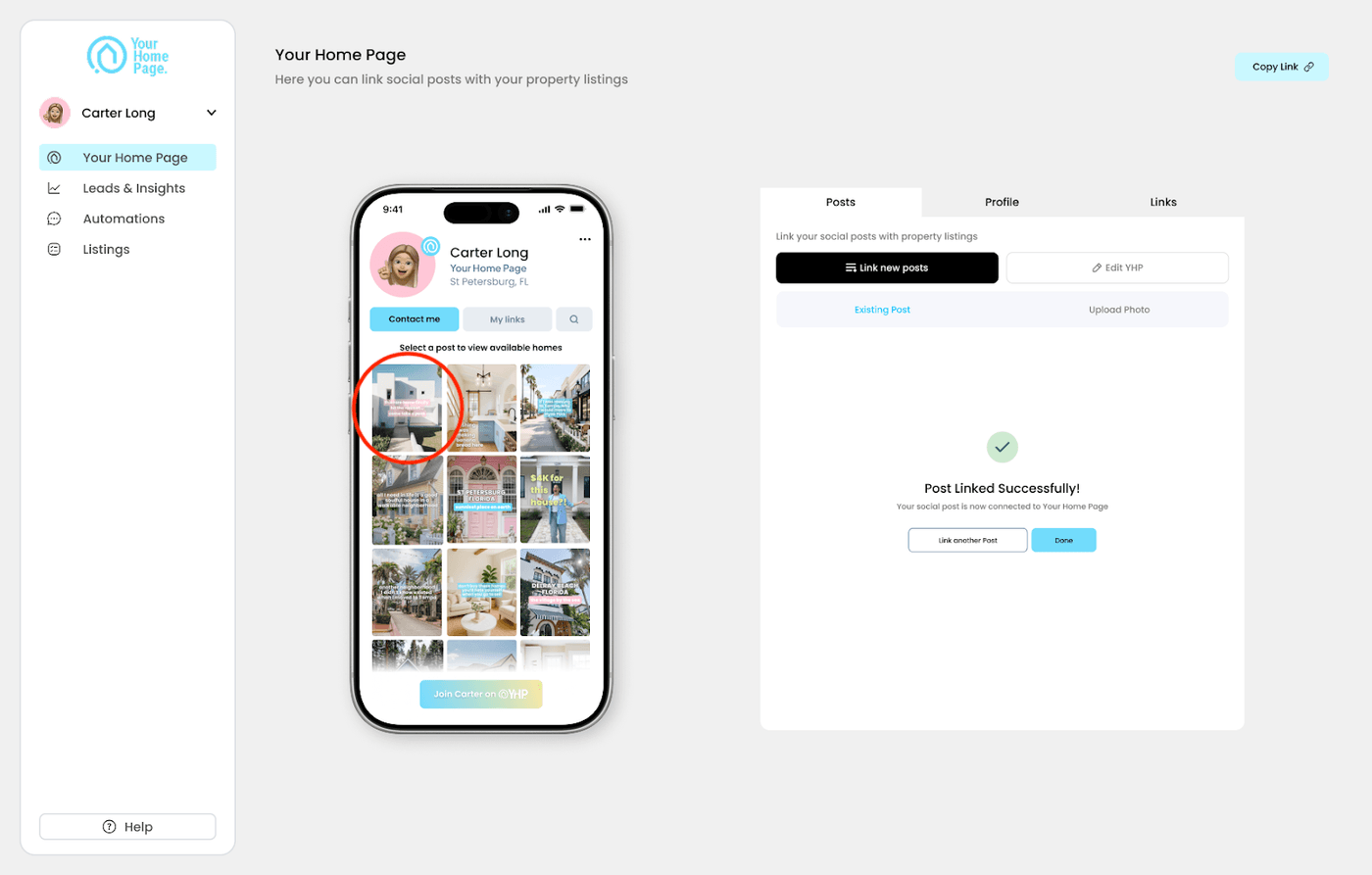
Linking a post connects one of your Instagram posts to a specific property, so buyers who tap it on your yhp.link see that listing's details instantly.
Post the content on Instagram first. Once your post is live on Instagram, you can select it and link it to a listing in Your Home Page dashboard.
Link a post to a listing
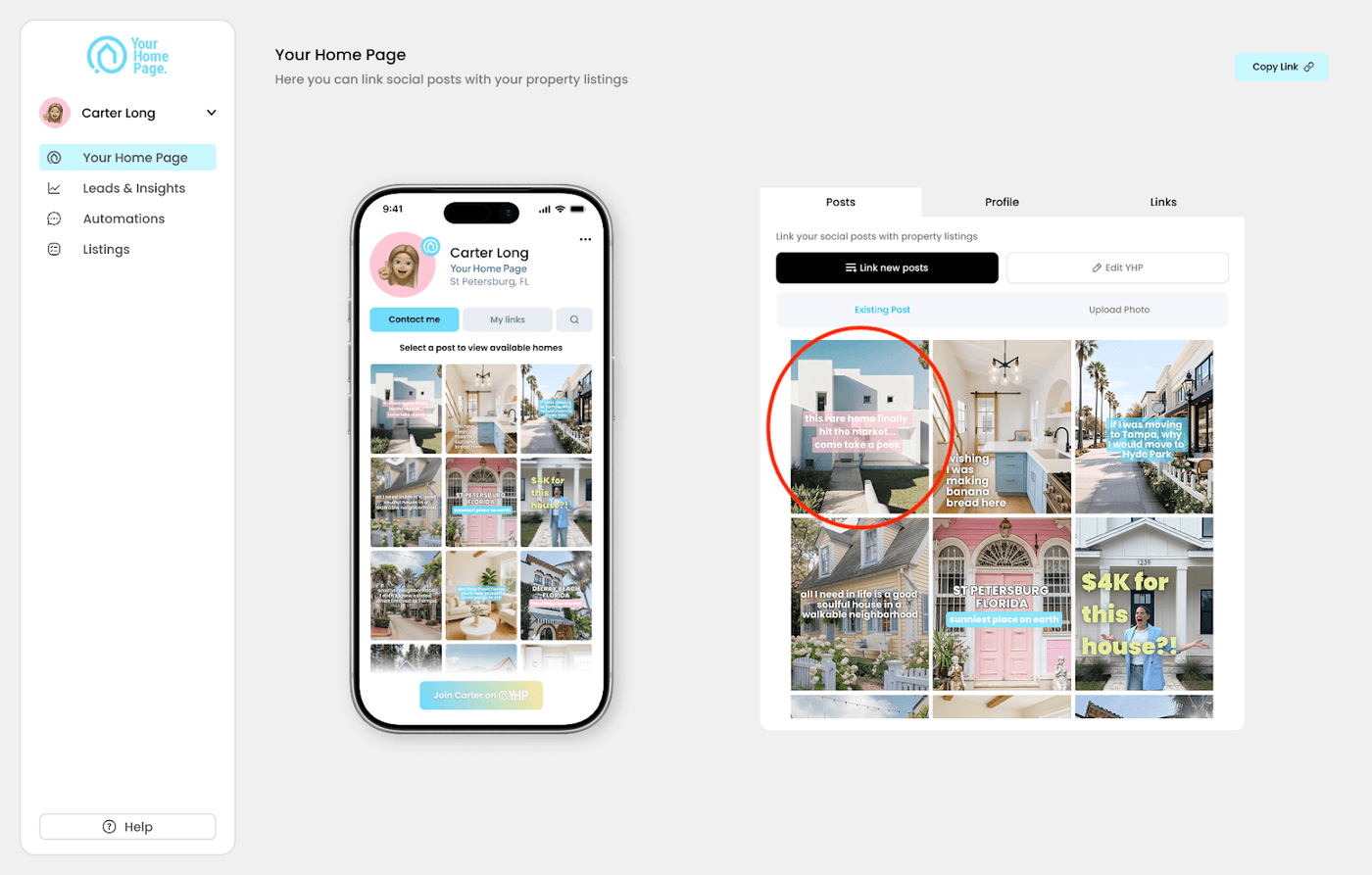
- Select a post from your dashboard.
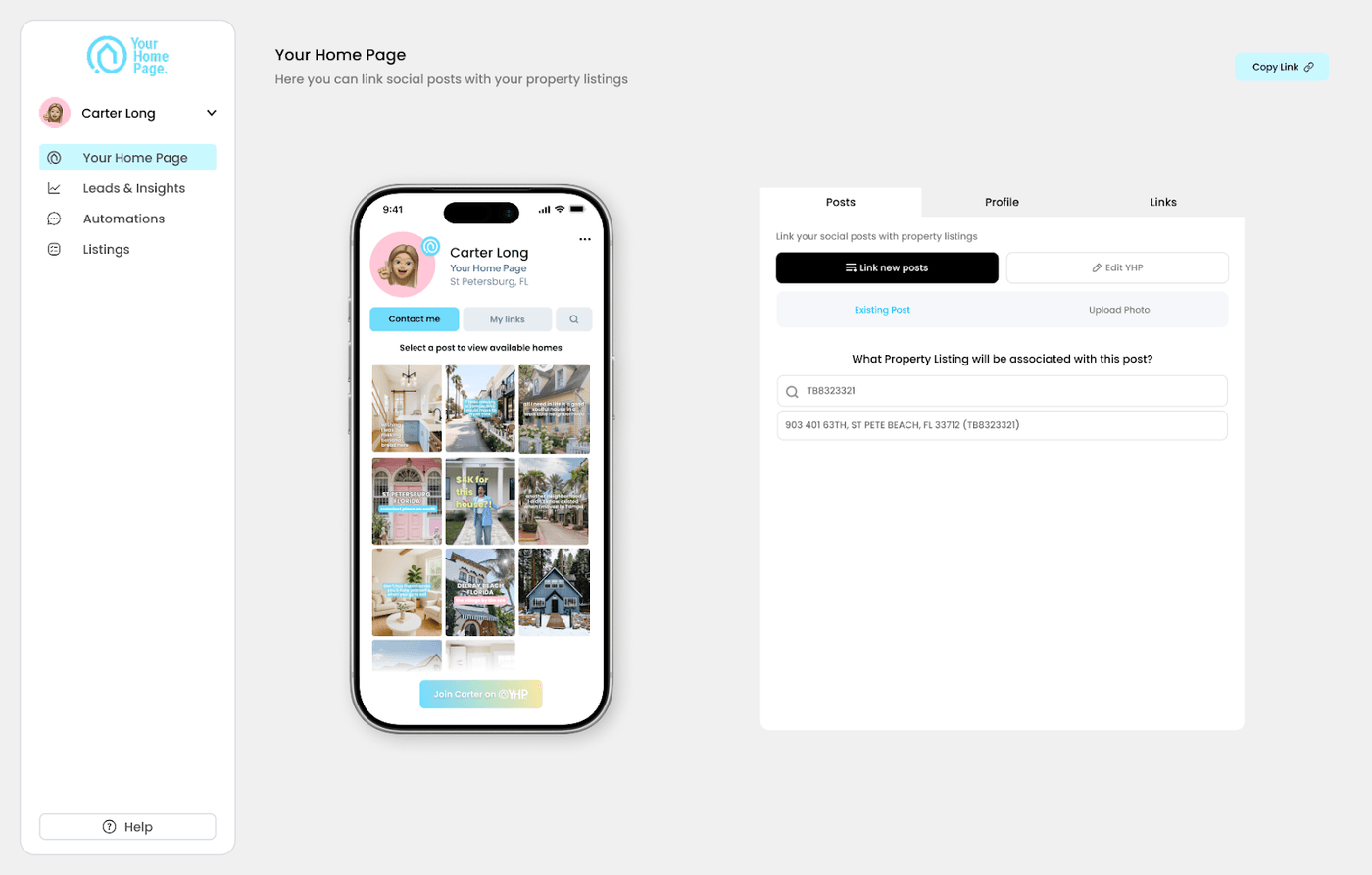
- Type in the MLS number or address.
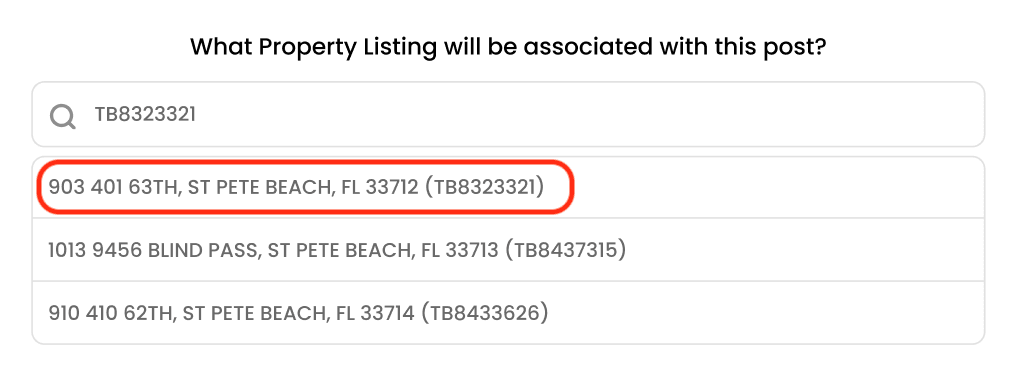
- Select the correct address from the results.
- Review the details on the confirm screen and click Connect.
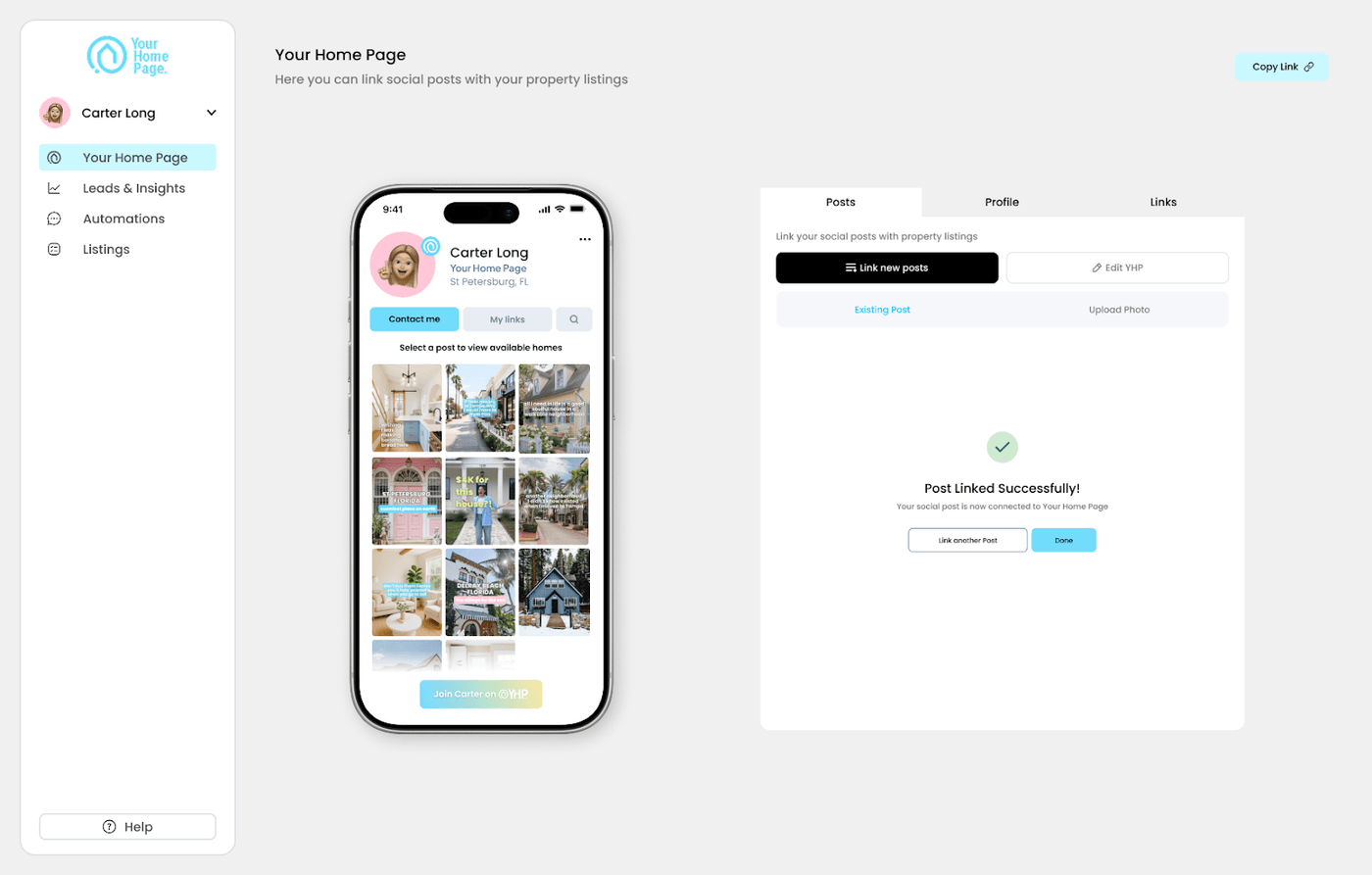
Once connected, the post appears live on your page right away as a new cover photo.
Best practices
- Search by MLS number when you have it. It's faster and more accurate than an address search, since addresses can return multiple similar results.
- Connect Instagram before you start linking posts. Your posts won't show up in the dashboard to select until the Instagram connection is active.