How do I update my profile?
- Go to Your Home Page dashboard → Profile.
- Update your information — name, photo, bio, contact details, service area.
- Click Update Profile.
Changes apply immediately to your live page.
How do I change my password?
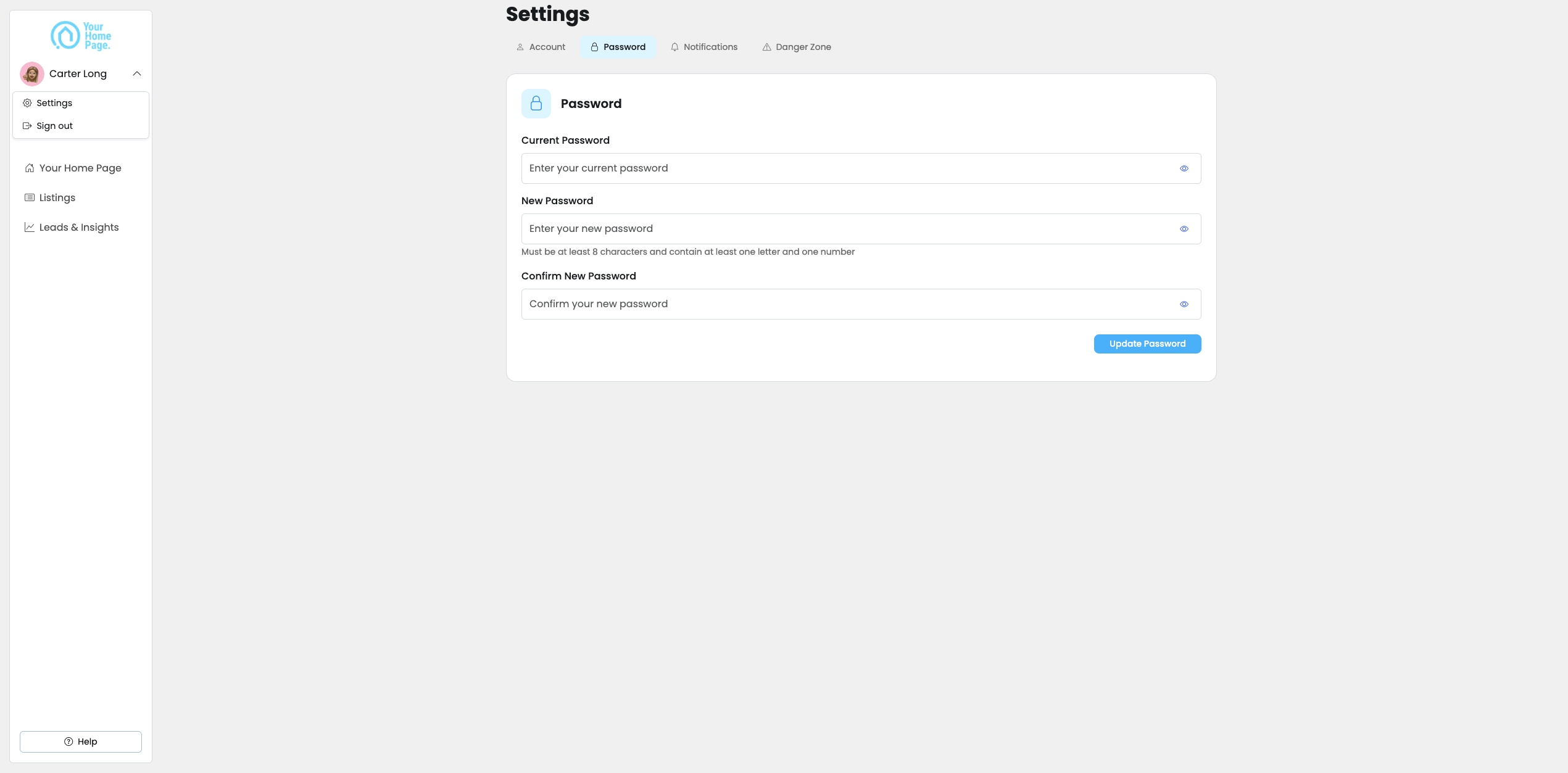
- Click your name in the top left and select the down arrow.
- Go to Settings → Password.
- Enter your current password and your new password.
- Click Update Password.
How do I disconnect Instagram?
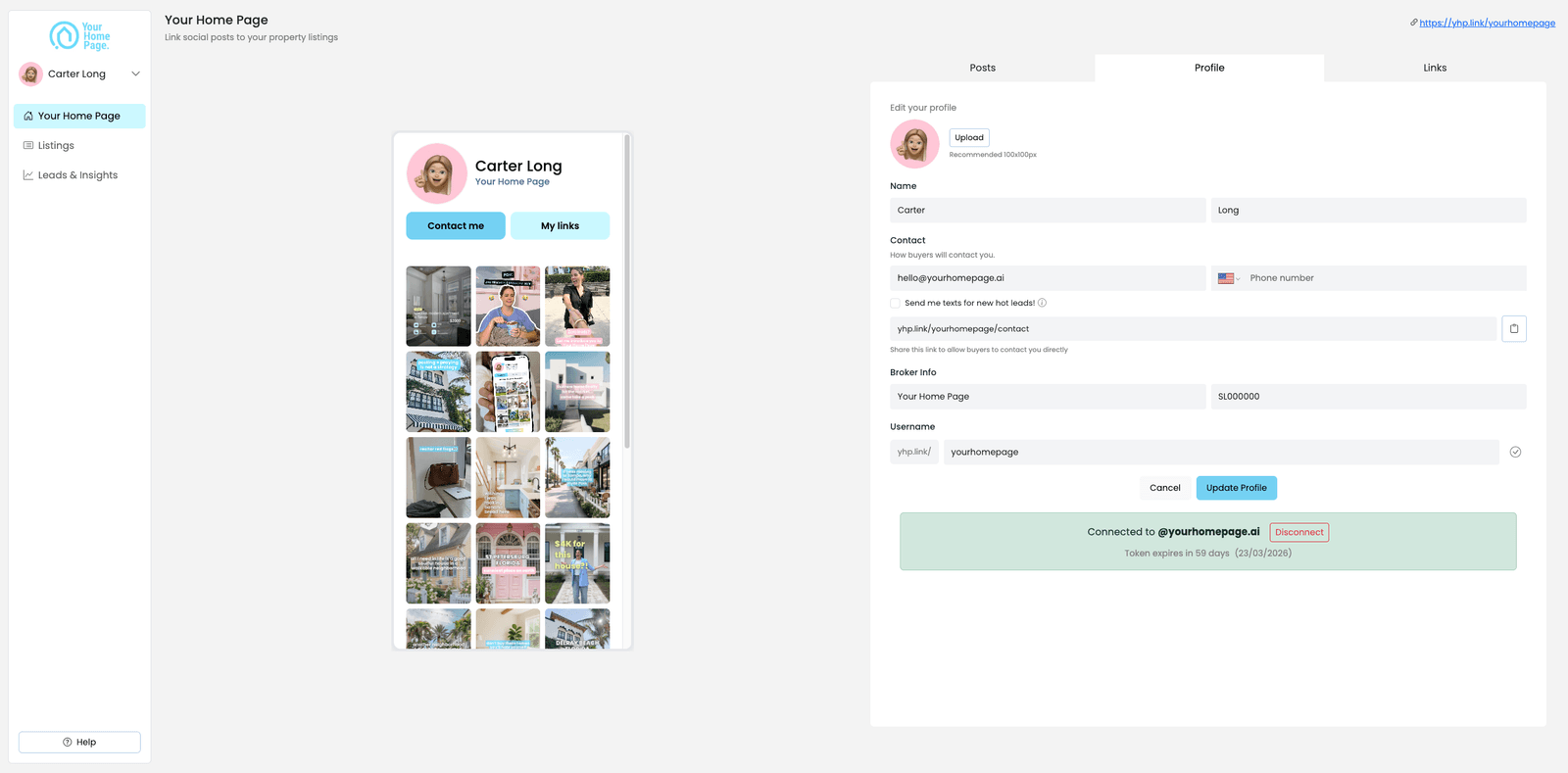
- Go to Your Home Page dashboard → Profile.
- Scroll down and click Disconnect Instagram.
Disconnecting Instagram removes your posts from your live page. You can reconnect at any time — your linked listings and settings will remain intact.